Razer BlackWidow V4 75%: A Gaming Enthusiast’s Dream Keyboard
Razer BlackWidow V4 75% : For newcomers to the world of keyboards, one of the tricky parts is dealing with group buys. You know, those keyboards that everyone wants but you can’t just buy them whenever you want? You usually have to pay ahead of time and then wait, sometimes for a long time, before you actually get the keyboard. It’s like ordering something online and having to wait for it, but for keyboards.
Companies like KBDfans, Mode, and CannonKeys have tried to help with this, but even they sometimes don’t have enough keyboards to go around. And there’s another thing – some keyboards need a lot of tinkering and changing to make them just right. It’s like a recipe that you have to tweak to make the perfect dish.
Now, Razer has come up with a solution in their new BlackWidow V4 75% keyboard. They wanted to make things easier for gamers who want a cool keyboard without all the fuss. This keyboard is meant to be a starting point that’s not too expensive and easy to get. And guess what? People are saying it’s one of the best things Razer has ever made!
In a nutshell, Razer heard the frustrations of keyboard fans, especially those new to the hobby. Waiting for special keyboards and then having to make them work just right can be a real pain. But with the BlackWidow V4, Razer aims to make it simple and fun to jump into the keyboard world. They’ve cooked up a solution to the recipe of keyboard troubles, and it looks like they’ve made something pretty awesome.
Design and Features : Razer BlackWidow V4 75%
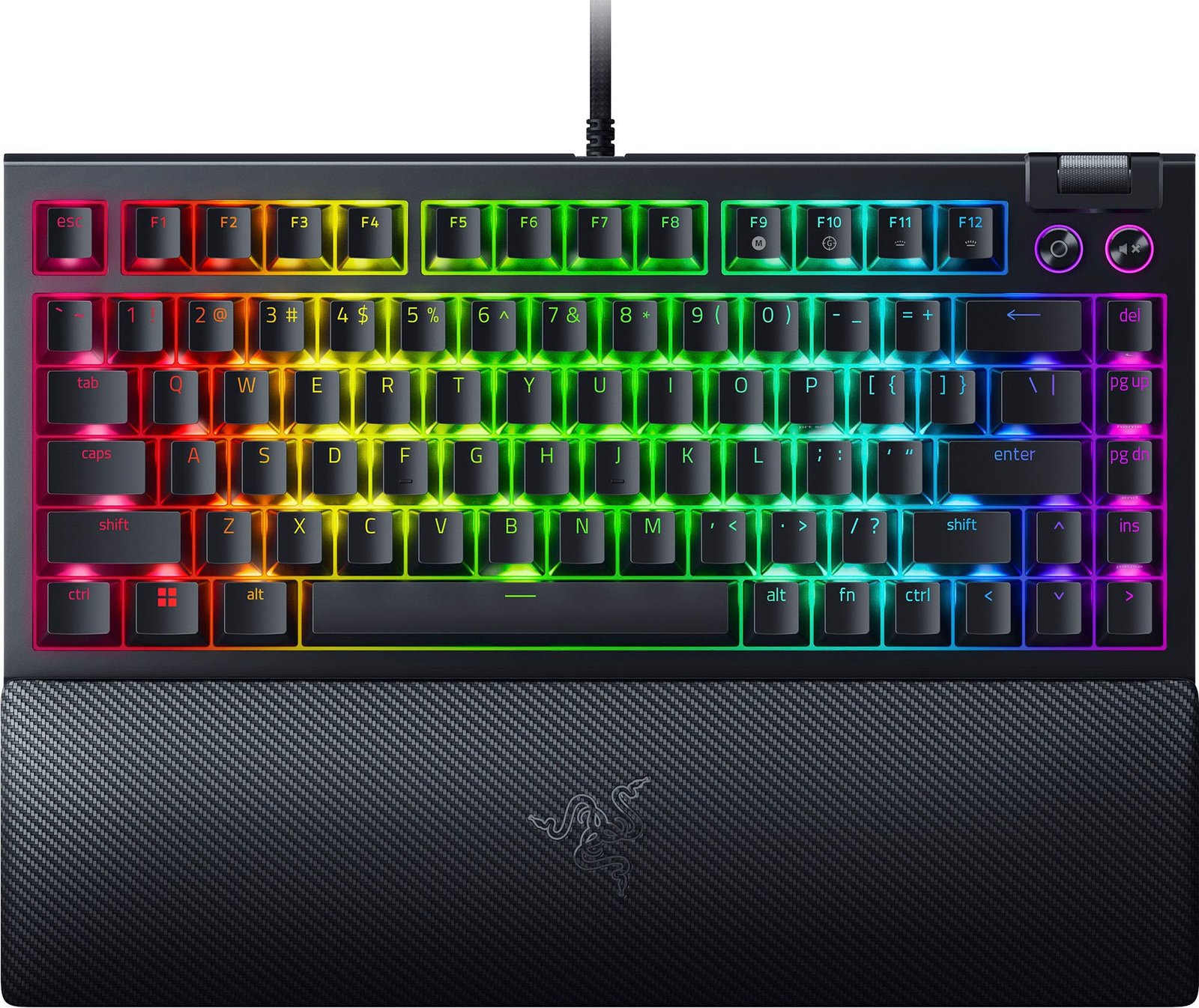
The Razer BlackWidow V4 75% keyboard is like a dream come true for keyboard enthusiasts. Its specifications are like a wish list of all the cool things you’d want in a custom keyboard. Razer is doing something special here – they’re letting you have a keyboard with features that are usually found in more customized setups. Let’s dive into what makes this keyboard so exciting.
Hot-Swap PCB: Customize Without Soldering
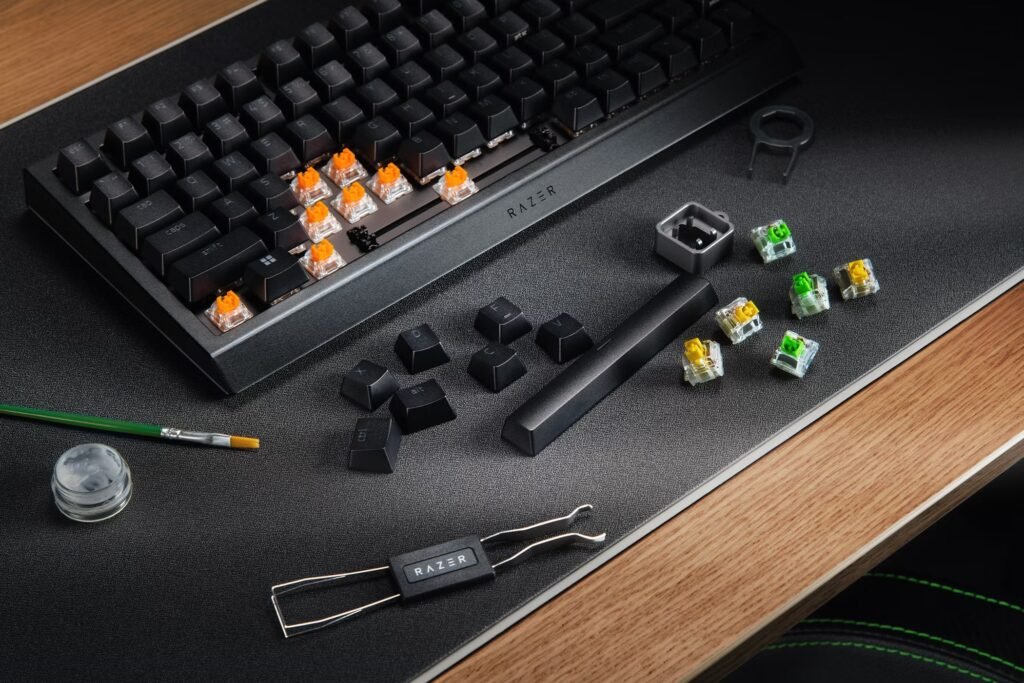
Razer BlackWidow V4 75% : Razer has included a hot-swap PCB in the BlackWidow V4. This is a big deal! It means you can change the keyboard’s switches without needing to solder anything. So, if you’re curious to try different switches, you can easily swap them out. No special tools required! And here’s another cool thing – the PCB has five sockets, so you can use both three-pin and five-pin switches. Razer also gives you a 2-in-1 keycap and switch puller to make customization even easier.
Gasket-Mounted FR4 Plate: Flex and Comfort
Typing on the BlackWidow V4 feels awesome, thanks to the gasket-mounted FR4 plate. It’s designed to give a little bit of bounce when you type. If you’re used to regular keyboards, this might feel like a revelation. While some keyboard fans might wish for more flex, if you’re coming from normal gaming keyboards, you’re in for a treat.
Superb Sound and Feel
Razer BlackWidow V4 75% : When you unbox the BlackWidow V4, you’ll notice that it sounds amazing right away. This is thanks to a set of factory-lubricated plate-mounted stabilizers and sound-dampening foam. But that’s not all – there’s also a pre-installed ‘tape mod’ that dampens higher frequencies, making it sound even better.
The only tiny downside is that some parts could use a bit more lubrication, but even with that, this keyboard sounds and feels better than most gaming keyboards out there. It’s deep and satisfying, without that loud clacky sound many gaming keyboards have.
Smart Layout and Handy Features
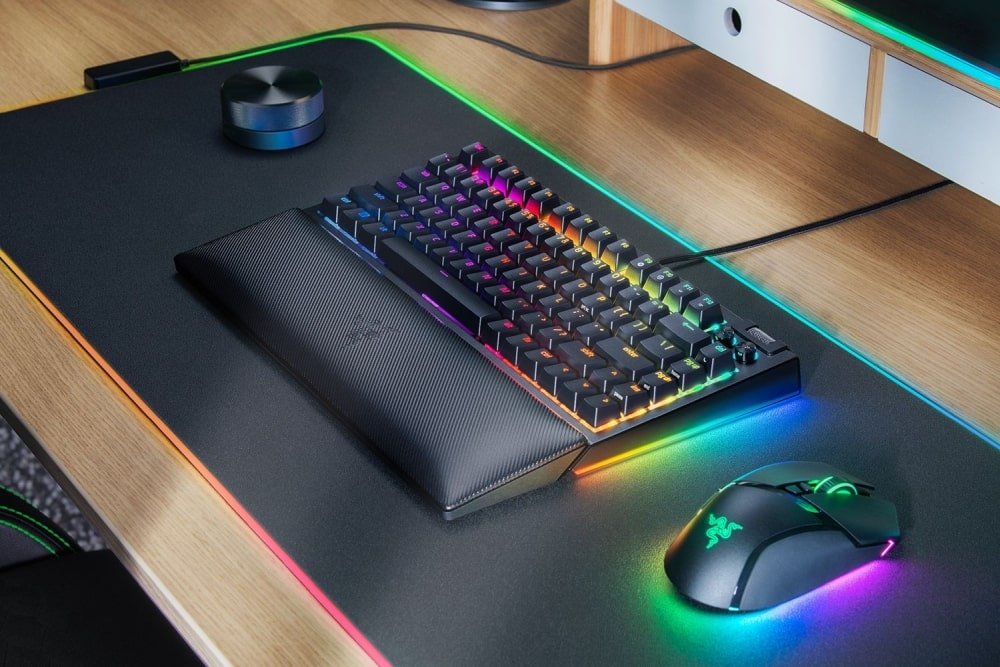
Razer BlackWidow V4 75% : Razer’s take on the 75% layout is pretty smart. Along with a function row and arrow keys, they’ve added a multi-function roller. This roller can adjust your system volume, but you can also set it up to control scrolling or microphone volume. Plus, there are multimedia buttons to mute volume and control music playback. It’s like they’ve thought of everything!
Razer’s New Orange Tactile Switches
Razer BlackWidow V4 75% : The BlackWidow V4 introduces Razer’s third-generation Orange Tactile Switches. While these switches might not be revolutionary, they feel great to type on – as long as you’re not pounding them too hard. These switches are designed cleverly, with a clear top housing to make RGB lighting shine, and a special stem design to keep keycaps from wobbling too much.
And guess what? The V4 comes with double-shot ABS keycaps. This might sound like a technical term, but it just means the keycaps are designed to last and let the RGB light shine through better. Razer chose ABS plastic for this because it’s great for RGB lighting and they’ve even textured the keycaps to make them more durable and less prone to showing fingerprints.
Switch Swapping and Some Limitations
Trying out different switches is fun with the BlackWidow V4. But, it’s a bit tricky to remove some keycaps and switches due to the compact design. Still, most of the stock parts can be removed without much hassle. One thing to know is that if you open up the keyboard, you’ll void the two-year warranty. Razer mentions that the PCB can work with screw-in stabilizers, but they won’t help you if you decide to do that.
RGB and Minor Quibbles
Razer BlackWidow V4 75% : While the RGB lighting on the BlackWidow V4 is cool, it might not be as flashy as some other Razer keyboards. That’s because it doesn’t have a floating key design. Also, the aluminum case can attract fingerprints, and the included palm rest could be more supportive.
In a nutshell, the Razer BlackWidow V4 75% keyboard packs a punch with its features. It’s a keyboard made for gamers and enthusiasts who want something special without the hassle. With its thoughtful design, amazing sound, and clever features, it’s no wonder people are saying this is one of Razer’s best products yet. Just a few tiny quirks aside, this keyboard is a winner for sure.
Razer BlackWidow V4 75% – Software
Razer BlackWidow V4 75% : When it comes to the software used with the Razer BlackWidow V4 75%, you might already have an idea of what to expect from Razer’s Synapse software. This tool pairs up with the BlackWidow V4 and lets you personalize things like the keyboard’s RGB lighting and how fast it communicates with your computer, which is called the polling rate. Synapse also lets you create shortcuts, called macros, to make things easier.
If you’re really into customizing the RGB lighting, Razer offers another software called Chroma Studio. This gives you even more control over how the lights on the keyboard behave. And hey, here’s a neat thing – the V4 has memory built-in that can hold up to five profiles.
But, just so you know, some stuff like setting up special shortcuts for Windows might need Synapse to be up and running on your computer for it to work properly. It’s like having a remote control for your keyboard, and Synapse is the remote that makes it all work smoothly.
Razer BlackWidow V4 75% – Gaming
Razer BlackWidow V4 75% : Even though the BlackWidow V4 is all about customization, it still has some neat stuff for gamers, except for the super serious competitive players. Just like other Razer keyboards, the V4 lets you change how often it talks to your computer – that’s called the polling rate. You can crank it up to 8,000 times a second! Sounds cool, right? But honestly, you might not feel a huge difference, especially compared to having a super-fast 8,000Hz mouse.
Now, something more useful for gamers is the built-in Gaming Mode. You just press Function and F10 together, and voila! This mode turns off the pesky Windows Key, so no accidental pressing during your gaming sessions. You can even set it to stop Alt Tab and Alt F4 shortcuts, if you’re into that.
If you’re used to playing games with tactile switches (those are the things that make the keys feel clicky or mushy), the V4 will feel like home. Another cool thing is that you can change the default switches to super-fast ones if you want. But if you’re really into competitive gaming, there are other keyboards like the Razer Huntsman V2 Analog or the Razer Huntsman Mini Analog.
Also, models from Wooting and Corsair can give you a special edge. These keyboards let you adjust how hard you have to press the keys before they respond. And guess what? Some of them even have a feature called Rapid Trigger that helps you do tricky moves in games like Valorant and Apex Legends.
Buy Razer BlackWidow V4 75%
Experience gaming excellence with the Razer BlackWidow V4 75% keyboard. Discover its thoughtful design, customization options, and superior performance.
So, the V4 is pretty awesome for gaming, especially if you like tactile switches. But if you’re all about winning in hardcore competitions, there are keyboards out there that can give you a little extra boost.
Razer BlackWidow V4 75% – The Competition
When you look at the 75 percent keyboard category, you’ll find it’s not as crowded as some other parts of the keyboard world. But there are a few standout models that are worth noticing. Let’s take a look at some of them.
GMMK Pro: The Well-Known Player
In the gaming circles, the GMMK Pro is quite famous. It comes in two flavors – you can get it without switches and keycaps, which they call “barebones,” starting at $170. Or if you want a fully loaded keyboard, you’re looking at spending around $350 for the GMMK Pro. Now, that’s a bit pricey. On the other hand, the BlackWidow V4 75% starts at $190, and for just a tad more, you can get the White Edition. What’s cool is that the BlackWidow comes with switches and keycaps, so you don’t have to worry about those extras.
People who know a lot about these things say that the GMMK Pro might sound and feel a bit better for the money. But here’s the thing – when you see how much more affordable the BlackWidow V4 is, it’s kind of an easy choice. The V4 seems like the clear winner in this match.
Keychron for Budget-Minded Folks
If you’re all about saving money, check out Keychron. They offer a bunch of different 75 percent keyboards, and one of them is called the Q1. It starts at $169, and if you want a version with a fancy rotary knob, that’s just about $10 more. Keep in mind, though, the Q1 comes with some OSA profile keycaps. Now, if you’re used to Cherry profile keycaps, these might take some getting used to. But don’t worry – the BlackWidow doesn’t have this kind of keycap, so it’s not something you need to fuss over.
Custom Options with Drop Sense75 and Mode Sonnet
If you’re into more customized stuff, there are a couple of cool options. Let’s talk about the Drop Sense75 and the Mode Sonnet. The Sense75 started at $249 last year, but now it’s not hard to find it on sale for as low as $149 for a whole kit. But there’s a catch – many reviews, even ones on Drop’s own website, say that this keyboard needs a bit of tinkering to sound its best. It’s like having a great recipe that needs some extra spice.
Now, the Mode Sonnet is often considered one of the best custom keyboards out there. But, here’s the thing – it’s not cheap. When you set it up just the way you like, be ready to pay around $300. And that’s before you even think about the cost of stabs, switches, and keycaps. So, while it might be top-notch, it’s definitely an investment.
In the end, when you’re looking at all these options, the BlackWidow V4 75% shines as a really good choice. It’s not overly pricey, it comes with switches and keycaps, and it’s made by a brand that knows gaming keyboards well. While the other models might have their own cool features, the V4 seems like a winner, especially if you’re just getting into the world of 75 percent keyboards.
Purchasing Guide : Razer BlackWidow V4 75%
Right now, Razer is getting ready to sell the BlackWidow V4 75% in two colors. The basic one comes in black and costs $190. You can buy it today from Razer’s website, MicroCenter, and Amazon. But, if you like the idea of a ‘White Edition,’ you’ll have to wait until mid-September. That one will cost $200. So, you’ve got choices – black now or white in a little while, both from Razer.
The Verdict : Razer BlackWidow V4 75%
The BlackWidow V4 75% is the best keyboard I’ve used from Razer, and it shows they put a lot of thought into it. When I was new to this hobby, I would have been thrilled to have a keyboard like this. If you’re looking for an easy-to-use keyboard that you can stick with as you figure out what kind of key sounds and feels right for you, this is the one to go for. It’s like having a trusty companion on your journey into mechanical keyboards.
Buy Razer BlackWidow V4 75%
Experience gaming excellence with the Razer BlackWidow V4 75% keyboard. Discover its thoughtful design, customization options, and superior performance.