
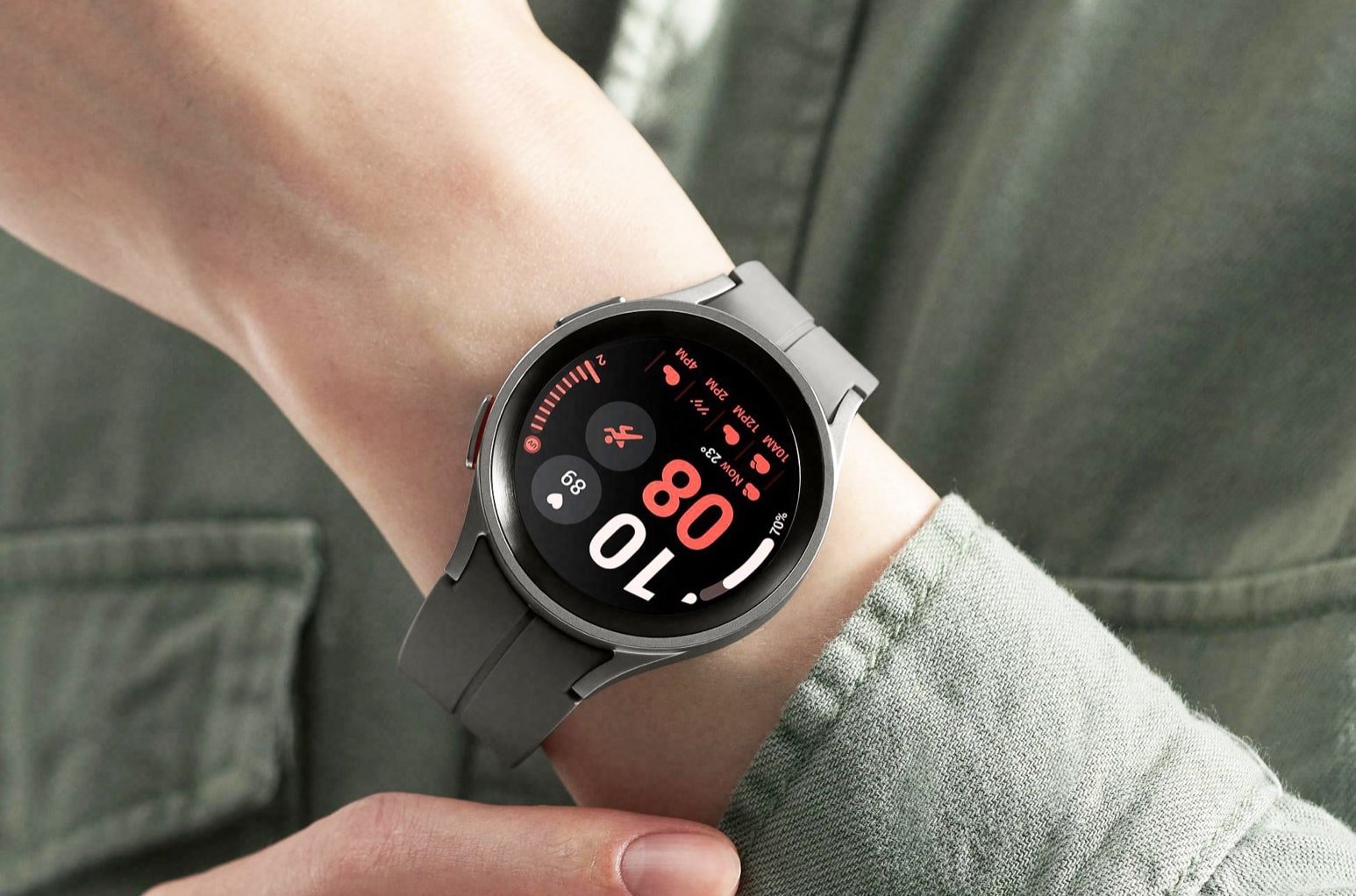
Samsung Galaxy Watch 6: A Comprehensive Review
Samsung Galaxy Watch 6 : Smartwatches have come a long way, but one significant challenge has persisted: visibility in various lighting conditions. The struggle to read notifications and fitness tracking data under bright sunlight has been a common woe among users. However, the Samsung Galaxy Watch 6 has emerged as a game-changer, addressing this concern with its enhanced brightness and improved screen design.
In this review, we’ll delve into the features, performance, and specifications of the Samsung Galaxy Watch 6, examining how it stands out in the competitive smartwatch market.
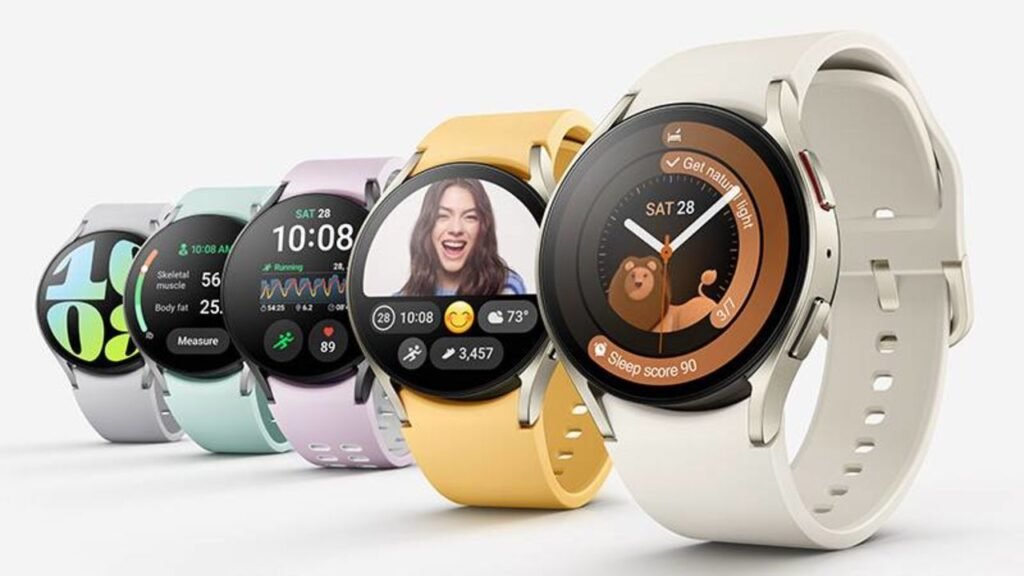
Specifications : Samsung Galaxy Watch 6
| Specifications | |
|---|---|
| Battery Life | 30 hours with AOD <br> 40 hours without AOD |
| Onboard GPS | Yes |
| Case Material | Aluminum |
| Sizes | 40mm and 44mm |
| Colors | 40mm: Graphite, Gold <br> 44mm: Graphite, Silver |
| Display | 40mm: 1.3-inch 432 x 432 Super AMOLED, AOD <br> 44mm: 1.5-inch 480 x 480 Super AMOLED, AOD |
| CPU | Exynos W930 Dual-Core 1.4GHz |
| RAM | 2GB |
| Storage | 16GB |
| Battery | 40mm: 300mAh <br> 44mm: 425mAh |
| Connectivity | LTE 6, Bluetooth 5.3, Wi-Fi 2.4+5GHz, NFC |
| Durability | 5ATM + IP68 / MIL-STD-810H |
| Software | Wear OS 4 / OneUI 5 Watch |
| Health sensors | Samsung BioActive Sensor, Temperature Sensor, Accelerometer, Barometer, Gyro Sensor, Geomagnetic Sensor, Light Sensor |
| Price | 40mm: $300 <br> 44mm: $330 |
| Strap | Sport Band |
| Weight | 40mm: 28.7g <br> 44mm: 33.3g |
Design and Hardware : Samsung Galaxy Watch 6
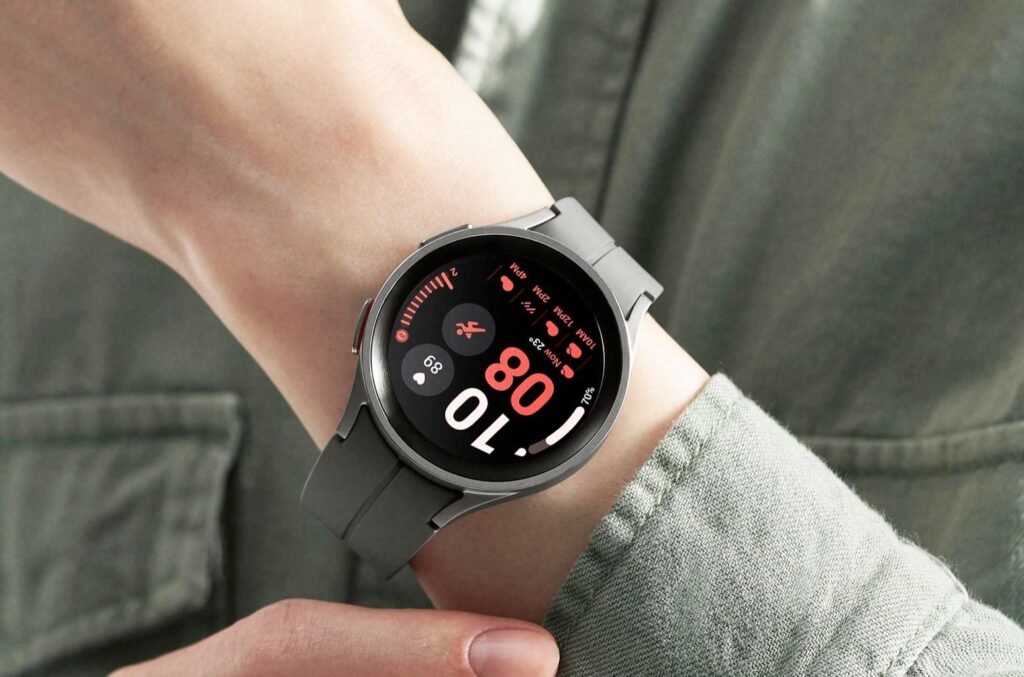
The Galaxy Watch 6 maintains its unobtrusive and elegant design, with a slight increase in screen size compared to its predecessors. Its minimalist aesthetic, along with the two-button configuration and built-in sensors for ECG and BMI measurements, remains consistent. The lightweight build and comfortable fit make it suitable for sleep tracking without feeling cumbersome.
The curved edges of the watch’s screen and its improved bezel design contribute to its sleek appearance. The new watch bands offer enhanced comfort and ease of swapping. Notably, Samsung has introduced a more user-friendly strap change mechanism, simplifying the process of attaching and detaching straps.
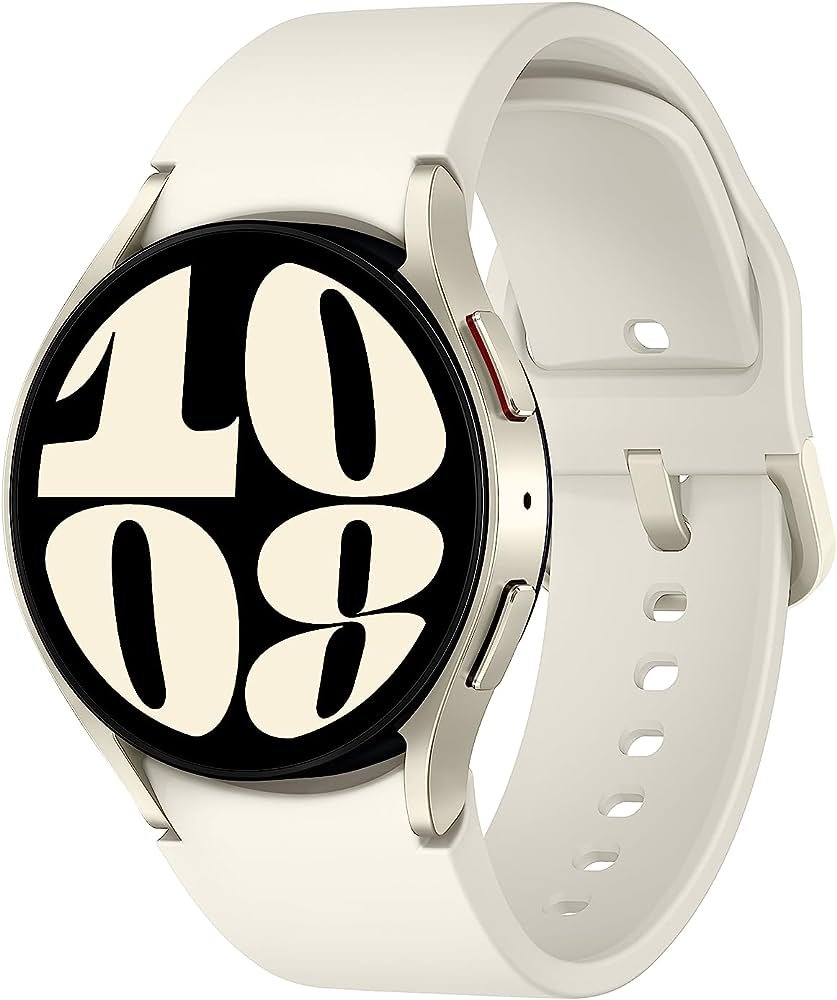
Samsung Galaxy Watch 6
Discover the Samsung Galaxy Watch 6, a sleek and feature-rich smartwatch with a brighter and larger touchscreen, improved performance, and innovative strap design. Explore its enhanced health sensors, seamless software experience, and durable build. Uncover the pros and cons of this latest addition to the Galaxy Watch series
Display Innovation : Samsung Galaxy Watch 6
The Samsung Galaxy Watch 6 continues the legacy of its predecessors with its sleek design and user-friendly features. At a glance, you might find it hard to spot the differences between the Galaxy Watch 6 and its previous models. The minimalistic design remains consistent, featuring a two-button setup and sensor contacts for measuring ECG and BMI. The curved sensor array sits comfortably at the bottom against your wrist, ensuring accurate readings during various activities.
When it comes to size and material, the Galaxy Watch 6 maintains its lightweight build, making it easy to wear and adapt to. You won’t feel like you’re wearing a heavy accessory, even when using it for sleep tracking. The flat sides of the watch blend seamlessly with the flat touchscreen, which gradually tapers down in a slight curve to the lugs. This design prevents the watch from sticking out excessively on sleeker wrists, ensuring a comfortable fit.
Samsung has also made notable improvements in the strap design. The in-box Sport T-Buckle Band features refined sculpting on the inner edges, making it easier to attach and detach the strap. Additionally, the Fabric Band, though featuring a flat edge, adds variety to the available options. The ease of swapping watch bands has been enhanced, particularly for first-party straps. Unlike the traditional small lever mechanism, the Galaxy Watch 6’s straps now feature a large, easy-to-press button on the underside. This change improves usability, especially for individuals with arthritis or those who find the traditional mechanism cumbersome.
The color options for the Galaxy Watch 6 have been adjusted, with each size offering two colors. The larger 44mm model comes in Graphite (black) and Silver, while the petite 40mm model is available in Graphite and Gold. The decision to limit the color choices reflects an understanding of the market’s demands while also considering practical factors. While some may miss the more vibrant color options from previous models, the focus on classic and versatile choices aligns with the current landscape.
Under the hood, the Galaxy Watch 6 has seen improvements in processing power. Moving beyond the 1.18GHz Exynos W920 that powered its predecessors, the Watch 6 incorporates the slightly faster 1.4GHz Exynos W930 processor paired with 2GB of RAM. While the health sensors themselves haven’t seen significant changes, Samsung has directed its attention towards refining the software features of Samsung Health. The fitness sensor’s curvature ensures a snug fit against the wrist when the strap is properly adjusted. It’s worth noting that while the ECG feature has improved, user error, such as mistouching the watch housing, can still affect its accuracy.
In conclusion, the Galaxy Watch 6 impresses with its consistent and thoughtful design elements. From its comfortable fit to the enhanced strap mechanism, Samsung has aimed to provide a user-friendly experience. The limited color options reflect a balance between practicality and user preferences. The improved processing power and refined health features further contribute to the watch’s functionality, making it a well-rounded choice for users seeking both style and performance.
Software and Performance : Samsung Galaxy Watch 6
Samsung seems to be taking a comfortable stance when it comes to improving the Wear OS of the Galaxy Watch 6. Most of the updates are visible in the form of new watch faces and enhancements to Samsung Health, which we will delve into in the next section. However, it’s the behind-the-scenes changes that truly make a difference. These changes include the battery efficiency of Wear OS 4, the added RAM for smoother app switching, and the seamless integration with both Galaxy and Pixel phones.
The ability to synchronize certain modes between the Galaxy Watch 6 and Galaxy phones is a noteworthy feature. For instance, when the sleep mode is activated on the watch, it also activates on the paired phone. Similarly, timers, alarms, and reminders on the phone mirror smoothly onto the watch, providing a unified experience. While this feature offers convenience, Pixel owners can achieve a similar effect by installing Google’s Clock app on their Galaxy Watch. This requires downloading Google apps outside of Google Assistant, which is now easier thanks to the simplified watch app installation process through the Play Store app on the phone.
A hidden gem for the Galaxy Watch 6 lies in the Tiles API, which developers, including Google, are beginning to utilize. This enables scrollable and glanceable integration with favorite apps. For example, Google Keep recently introduced a tile that allows users to pin a specific note to their main carousel. This feature proves handy for tasks like displaying a grocery list on the wrist while navigating through a store.
The landscape of Wear OS apps is expanding, with recent additions like Audible and WhatsApp. App support on Samsung watches and Android watches as a whole has been a mixed bag, even after the overhaul with Wear OS 3. However, progress is being made, and this trend is expected to continue with the Galaxy Watch 6 and the upcoming Pixel Watch 2.
A promising but untested feature is the ability to transfer from one phone to another without the hassle of setting up everything from scratch. This is a claim of Wear OS 4 and aims to address a major frustration for Wear OS smartwatch users who frequently switch phones. This feature holds the potential to reduce the lingering frustrations associated with phone-swapping and the setup process.
Despite these advancements, there are some areas that could use improvement. Samsung could enhance the onboarding process by including a step to customize app notifications on the Galaxy Watch 6. While the “allow new apps to notify” setting is available, it doesn’t address the issue of existing apps that fail to display notifications on the new watch. This enhancement could provide users with more control over their watch notifications and ensure a smoother experience.
In conclusion, the Galaxy Watch 6 brings both visible and behind-the-scenes improvements to its software and performance. While the focus seems to be on watch faces and health features, the battery efficiency, enhanced RAM, and integration with phones play a significant role in delivering a seamless and efficient user experience. The synchronization of modes and the potential for streamlined phone transitions add further convenience. However, addressing issues like app notification customization could further elevate the watch’s usability and user satisfaction.
Samsung Galaxy Watch 6
Discover the Samsung Galaxy Watch 6, a sleek and feature-rich smartwatch with a brighter and larger touchscreen, improved performance, and innovative strap design. Explore its enhanced health sensors, seamless software experience, and durable build. Uncover the pros and cons of this latest addition to the Galaxy Watch series
Health and Fitness Tracking : Samsung Galaxy Watch 6
This year, my appreciation for Samsung Health has grown, especially after experiencing the limited fitness features of the Fitbit-powered Google Pixel Watch. While Samsung Health’s phone app interface hasn’t undergone significant changes since the days of the Gear and Galaxy Watch Active series, the app’s capabilities have expanded. It offers just enough customization to ensure that you can arrange your most crucial data where it matters.
Although Samsung’s sensors might not be as accurate as Apple’s, the sensors in the Galaxy Watch 6 establish a consistent baseline. They allow me to effectively monitor my activity levels, heart rate, and most importantly, gather quantifiable data about how my habits impact my well-being. For example, I can proudly share that I walked ten miles around the Magic Kingdom during an Excessive Heat Warning. Additionally, the watch highlights how little deep sleep I obtained during nights when I stayed up late engrossed in reading a trashy Fantasy Romance manwha.
The spotlight of Samsung’s Galaxy Watch 6 is on its advanced sleep tracking and personalized heart rate zones. Thanks to the One UI Watch 5 beta on the Galaxy Watch 5, I had the privilege of experiencing the new sleep tracking for an additional month. This enabled me to confirm that the new sleep coaching can be beneficial, but only if you’re willing and able to heed its advice.
In previous iterations, Samsung Health assigned animals to sleep tracking users—formerly a hedgehog, and now a penguin. However, the Galaxy Watch 6 introduces a welcome change by encouraging users to work towards specific morning and evening goals. This approach enhances the effectiveness of sleep tracking beyond mere reminders to go to bed on time. From my experience with the Galaxy Watch 5 and 4, only the Galaxy Watch 6’s version prompted me to consider other sleep habits that impact rest, such as waking up promptly, kickstarting metabolism, and practicing controlled breathing before bedtime.
A limitation emerges when it comes to the duration of sleep coaching. It typically lasts for two to three weeks, and the aesthetically pleasing Sleep Coaching watch face—which happens to be the best among the new watch faces—loses its functionality and appeal after this period. The inner ring that initially displayed sleep coaching habits shifts to a repetitive “Try sleep coaching again?” message. Additionally, the helpful morning/evening checklist disappears after coaching ends. This led to a regression in my recently established habits. To overcome this, I propose that after completing sleep coaching, users should be able to maintain daily goals and strive to close the loop every day.
Samsung’s personalized heart rate zones aim to align with more comprehensive fitness platforms like Apple and Garmin. However, there are some rough edges in this feature. To activate it, users need to complete a ten-minute run, and it bases the heart rate zones on the maximum heart rate from this initial run. If the first workout isn’t intense enough, the zones might be inaccurate, leading to an overestimation of the workout’s intensity.
In line with industry trends, Samsung has introduced menstrual cycle tracking. While I haven’t had the opportunity to test this feature, I plan to update this review as I gather more data. Although it requires several menstrual cycles to map accurately, it holds the promise of providing valuable insights. Notably, the Labs feature attempts to predict periods through changes in skin temperature. While intriguing, its most significant aspect is the ability to delete all Cycle Tracking data effortlessly, which proves useful in jurisdictions with restrictive policies.
In conclusion, Samsung Health’s impact is profound, offering enhanced sleep tracking and personalized heart rate zones. While certain limitations exist, such as the duration of sleep coaching and the accuracy of heart rate zones, the app’s progress is evident. It brings forth a holistic approach to tracking health and wellness, ultimately empowering users to make informed decisions about their lifestyle and habits.
Battery Life and Charging : Samsung Galaxy Watch 6
The Galaxy Watch 6 model I reviewed was the LTE+BT variant, although I didn’t have a data plan to use the LTE feature. During the initial five days of testing, I kept the radio functions unchanged. After that, I turned off the LTE feature. Initially, I used the Always On Display for around a day, but for the majority of the two-week testing period, I didn’t use it. This was due to the slight delay when switching from AOD to active use.
On my Galaxy Watch 5, using the Photos watch face with four complications and gif backgrounds affected battery life. However, on this year’s Galaxy Watch 6, it didn’t have the same impact.
Comparing with previous models, the Galaxy Watch 4 could barely make it through a day on a full charge, while the Galaxy Watch 5 could manage one to one and a half days. In contrast, the Galaxy Watch 6 consistently lasted for two days under normal usage conditions and a day and a half during more intensive use. I had concerns that the 2,000-nit screen’s brightness would drain the battery quickly during outdoor usage, but those worries proved to be unfounded.
One of the key factors influencing battery life is your activity level and how often the watch is tracking your workouts. Throughout the testing period, there were days with extensive fitness activities, both on weekdays and weekends. On other days, there were barely any workouts. Even after a full day spent outdoors with the screen at maximum brightness and tracking a 10-mile walk, the watch’s battery life only dipped below 36 hours.
Interestingly, setting the continuous heart rate monitoring didn’t noticeably affect battery life. It’s advisable to enable this feature, as it helps keep track of your heart rate zones.
In summary, the Galaxy Watch 6 exhibited impressive battery performance. With normal usage, it consistently lasted two days, and during more intense usage, it still managed to provide a day and a half of battery life. Factors like outdoor usage and workout tracking played a role, but overall, the watch’s battery held up well across various scenarios.
Price and Availability : Samsung Galaxy Watch 6
The Samsung Galaxy Watch 6 comes in two sizes, a 40mm model for $300 and a slightly larger 44mm version for $330. It was announced on July 26 and officially released on August 11, 2023. You can buy the Galaxy Watch 6 from major retailers like Amazon, Best Buy, Walmart, B&H, Target, and Samsung’s own website.
If you’re interested in the LTE version, it’s available through AT&T, T-Mobile, and Verizon. The 40mm LTE model costs $350, and the 44mm LTE model is priced at $380.
For our review, Samsung provided us with the 40mm LTE version of the Galaxy Watch 6. However, we didn’t test its mobile capabilities.
Samsung Galaxy Watch 6
Discover the Samsung Galaxy Watch 6, a sleek and feature-rich smartwatch with a brighter and larger touchscreen, improved performance, and innovative strap design. Explore its enhanced health sensors, seamless software experience, and durable build. Uncover the pros and cons of this latest addition to the Galaxy Watch series
Comparison with Competitors
To sum up the case for upgrading to the Galaxy Watch 6 compared to its predecessors, here’s a quick overview. If you have the Galaxy Watch 4, it’s a good idea to upgrade because you’ll get a super-bright screen, more durable Sapphire Crystal Glass, and longer battery life that can last multiple days. However, if you own the Galaxy Watch 5 and spend most of your time indoors, you might not need to upgrade as the improvements might not be as significant for you.
Looking beyond Samsung, the $350 Google Pixel Watch offers a bit more style but lacks many of the features found in One UI Watch. The Galaxy Watch 6 stands out with better battery life, improved hardware performance, and the advantage of using standard watch bands rather than a proprietary system. Plus, Samsung doesn’t require a subscription for essential fitness tracking features.
While the $350 Mobvoi TicWatch Pro 5 has a unique hybrid display, the Galaxy Watch 6 offers a more refined style and better integration with Android and Samsung devices. This integration provides a smoother experience and enhanced health and fitness capabilities. This comparison also applies to the latest Fossil and Skagen watches. Notably, the TicWatch Pro 5 lacks Google Assistant, which can be a drawback.
Comparing the Galaxy Watch 6 to the Apple Watch 8 might not be straightforward, as they operate on different platforms, and switching phone operating systems just for a watch is unlikely. Still, it’s worth noting that the Galaxy Watch 6 has a screen twice as bright as the Apple Watch. However, the Apple Watch excels in consistent health tracking and app integration.
In summary, if you have a Galaxy Watch 4, upgrading to the Galaxy Watch 6 offers several benefits. The watch offers even more to those with the Galaxy Watch 5 who spend a lot of time outdoors. When looking at alternatives, the Google Pixel Watch and Mobvoi TicWatch Pro 5 have their merits, but the Galaxy Watch 6 stands out with its comprehensive features and integration with Android and Samsung devices. Comparing it to the Apple Watch highlights the strengths of both platforms.
Pros and Cons : Samsung Galaxy Watch 6
Pros:
- Bigger and Brighter Screen: The Galaxy Watch 6 boasts a larger and significantly brighter touchscreen display, enhancing visibility and user experience.
- Improved Performance: With increased memory and a new chipset, the watch offers smoother software performance, ensuring faster app switching and multitasking.
- Convenient Strap Mechanism: Samsung’s easy-to-use one-click strap design sets a standard for simplicity and quick swapping of watch bands.
Cons:
- Minor Hardware Changes: The Galaxy Watch 6 lacks major hardware updates compared to its predecessors, which might disappoint those expecting significant innovations.
- Software Overlap: Many new software features introduced are already available on previous Watch 5 and 4 models, minimizing the unique selling points for existing users.
- Slight Price Increase: The Galaxy Watch 6 is slightly more expensive, potentially dissuading budget-conscious buyers.
Is the Galaxy Watch 6 Worth Buying?
While it might not immediately grab your attention, the new screen alone elevates Samsung’s Galaxy Watch 6 to become a top contender among Android smartwatches, second only to its higher-priced counterpart, the Classic version. The Classic offers a spinning bezel for an additional $100, but in terms of overall value, the regular Watch 6 holds its own. Among Wear OS watches, none provide a more consistent and full-featured experience, coupled with a superior screen.
Certainly, it would have been exciting if Samsung had taken more daring leaps. Nevertheless, the trio of hardware improvements in the Galaxy Watch 6 results in a timepiece that I can confidently recommend not only to Android enthusiasts but also to individuals who are not deeply immersed in the world of technology. While it’s not perfect – for that, Samsung should revive the Watch Active design and offer a genuinely compact smartwatch – the Galaxy Watch 6 feels like a seamless extension of Android on your wrist, rather than an unwieldy gadget that we tolerate just for fitness tracking and notifications.
The Galaxy Watch 6 exudes a sense of completeness, content to showcase its value through day-to-day usage instead of relying on flashy gimmicks or extravagant additions. If you’ve had disappointing experiences with older watches in the past, now is the ideal moment to open up your heart – or rather, your wrist – and give love another chance.
In conclusion, the Galaxy Watch 6 might not grab headlines with groundbreaking features, but its new screen and overall performance make it a standout in the realm of Android smartwatches. It proves that a cohesive and reliable experience, along with meaningful improvements, can make a device truly worth considering.
