
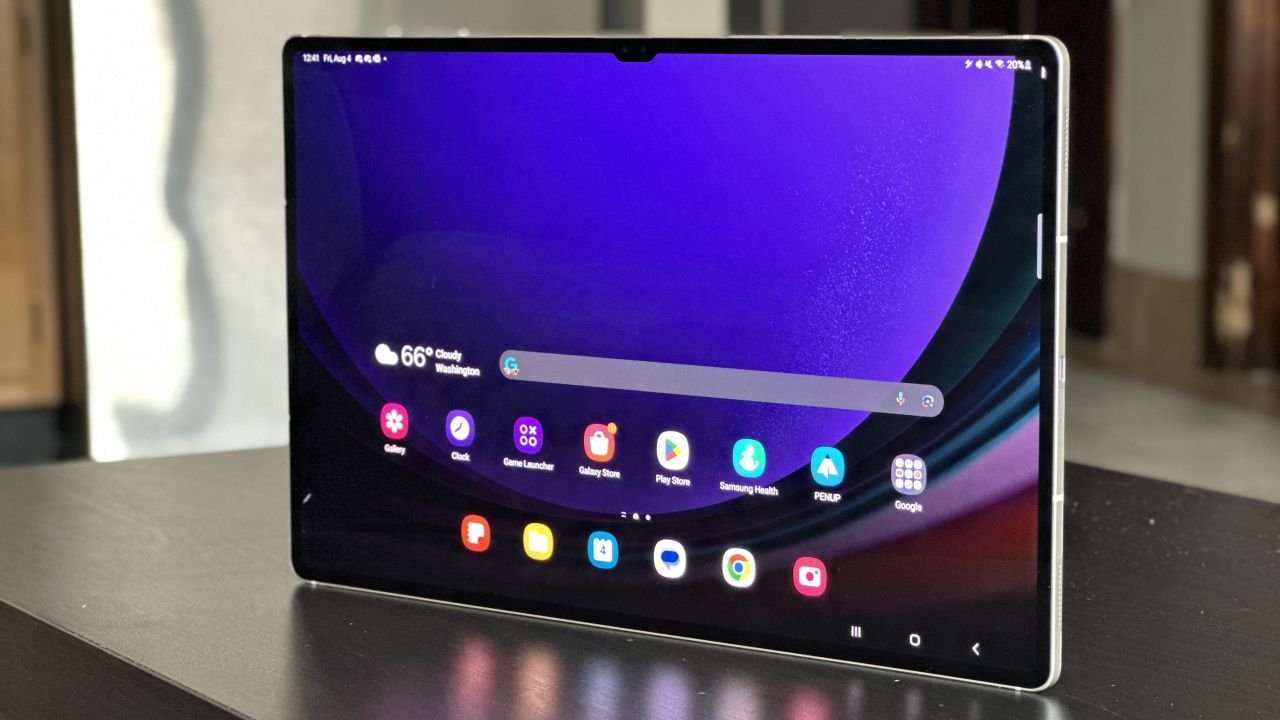
Empower Your Tech Journey: Unveiling the Samsung Galaxy Tab S9 Ultra
Samsung Galaxy Tab S9 Ultra : Let’s start by saying that the Samsung Galaxy Tab S9 Ultra is one impressive tablet in 2023. Samsung really went all out with this one, making sure it’s powerful and packed with features. They didn’t cut any corners, and the result is a big Android tablet with all the things you can think of.
But, you know, sometimes having too much of a good thing can cause problems. Technically, there’s not much I don’t like about the Galaxy Tab S9 Ultra. The display is super nice with its bright colors, and it runs really fast, which is great.
However, there’s a catch. Using the Galaxy Tab S9 Ultra can be a bit frustrating. While Samsung did a great job with the specs and features, the way it feels to use it isn’t always so great. Also, it’s a bit expensive.
In simple words, it’s like having a really cool toy that sometimes just doesn’t do what you want it to. The fancy screen and speed are awesome, but the overall experience and the high price could be better.
So, while the Galaxy Tab S9 Ultra is a strong contender in the tablet world, there are still things that need fixing before it becomes a top choice for everyone.
Specifications
| LAUNCH | Announced | 2023, July 26 |
|---|---|---|
| Status | Available. Released 2023, August 11 |
| BODY | Dimensions | 326.4 x 208.6 x 5.5 mm (12.85 x 8.21 x 0.22 in) |
|---|---|---|
| Weight | 732 g (1.61 lb) | |
| Build | Glass front, aluminum frame, aluminum back | |
| SIM | Nano-SIM | |
| IP68 dust/water resistant (up to 1.5m for 30 min) Stylus, 2.8ms latency (Bluetooth integration, accelerometer, gyro) |
| DISPLAY | Type | Dynamic AMOLED 2X, 120Hz, HDR10+ |
|---|---|---|
| Size | 14.6 inches, 617.8 cm2 (~90.7% screen-to-body ratio) | |
| Resolution | 1848 x 2960 pixels, 16:10 ratio (~239 ppi density) | |
| Protection | Corning Gorilla Glass |
| PLATFORM | OS | Android 13, One UI 5.1 |
|---|---|---|
| Chipset | Qualcomm SM8550-AB Snapdragon 8 Gen 2 (4 nm) | |
| CPU | Octa-core (1×3.36 GHz Cortex-X3 & 2×2.8 GHz Cortex-A715 & 2×2.8 GHz Cortex-A710 & 3×2.0 GHz Cortex-A510) | |
| GPU | Adreno 740 |
| MEMORY | Card slot | microSDXC (dedicated slot) |
|---|---|---|
| Internal | 256GB 12GB RAM, 512GB 12GB RAM, 1TB 16GB RAM | |
| UFS |
| MAIN CAMERA | Dual | 13 MP, f/2.0, 26mm (wide), 1/3.4″, 1.0µm, AF 8 MP, f/2.2, (ultrawide) |
|---|---|---|
| Features | LED flash, HDR, panorama | |
| Video | 4K@30/60fps, 1080p@30fps |
| SELFIE CAMERA | Dual | 12 MP, f/2.2, 26mm (wide) 12 MP, f/2.4, 120˚ (ultrawide) |
|---|---|---|
| Features | HDR | |
| Video | 4K@30/60fps, 1080p@30fps |
| SOUND | Loudspeaker | Yes, with stereo speakers (4 speakers) |
|---|---|---|
| 3.5mm jack | No | |
| Tuned by AKG |
| COMMS | WLAN | Wi-Fi 802.11 a/b/g/n/ac/6e, tri-band, Wi-Fi Direct |
|---|---|---|
| Bluetooth | 5.3, A2DP, LE | |
| Positioning | GPS, GLONASS, BDS, GALILEO | |
| NFC | No | |
| Radio | No | |
| USB | USB Type-C 3.2, magnetic connector |
| FEATURES | Sensors | Fingerprint (under display, optical), accelerometer, gyro, proximity, compass |
|---|---|---|
| Wireless Samsung DeX |
| BATTERY | Type | Li-Po 11200 mAh, non-removable |
|---|---|---|
| Charging | 45W wired |
Samsung Galaxy Tab S9 Ultra
Samsung Galaxy Tab S9 Ultra: A Technical Marvel
The Galaxy Tab S9 Ultra stands out with its amazing 14.6-inch AMOLED display. This screen is something special. It has a super clear resolution of 2960 x 1848, a fast refresh rate of 120Hz, and supports a thing called HDR10+. All these numbers might sound technical, but they mean the display is really, really good.
Let’s talk about how it looks. Imagine it’s super sharp, like when you look at something and everything is clear and detailed. The colors on this screen are like a rainbow – vibrant and beautiful. And when you turn up the brightness, oh boy, it’s like the sun is shining from the tablet. It’s hard to say anything bad about it. Honestly, it’s just that good.
Now, let’s move on to the speakers. There are four of them on this tablet, two on the left side and two on the right side when you hold it horizontally. And guess what? They sound fantastic. They can get really, really loud, and the sound is like a full orchestra playing in your ears. Listening to music or podcasts while taking a shower has never been this cool. It’s probably not the usual thing to do with a tablet that costs $1,200, but hey, it works!
Speaking of money, this tablet is also super fast. It’s like having a little superhero inside. It’s powered by a chip called Qualcomm Snapdragon 8 Gen 2 for Galaxy, which is the same chip used in other cool phones like the Galaxy Z Fold 5 and Galaxy S23 Ultra. This chip makes everything on the tablet run super smoothly. When you move your finger to scroll, it’s like butter. Apps open quickly, no waiting around. And guess what? You can do many things at once without any trouble. It’s like juggling different things and not dropping anything.
Now let’s talk about battery life, which is like how long the tablet can keep going without needing a charger. The Galaxy Tab S9 Ultra has a big battery, like 11,200 mAh. Don’t worry about the numbers; just know that it’s a lot. If you’re using the tablet for small stuff like checking Twitter or playing a quick game, the battery can last for many days. Even if you’re using it all day for work or fun, it should be able to stay awake until the evening.
Oh, there’s more! This tablet comes with a good amount of storage inside, like a closet for your digital stuff. There’s 256GB, which is like having space for lots of pictures, apps, and videos. And guess what? If that’s not enough, you can add even more space with a tiny card. Plus, it’s like this tablet knows all the latest Wi-Fi and Bluetooth tricks. It’s like having a new, super-fast internet connection and being able to connect to other things without any problems.
Here’s a cool thing: the Galaxy Tab S9 Ultra is tough. It’s like a superhero that’s not afraid of water or dust. It has this special rating called IP68, which means it can survive if you accidentally drop water or dust on it. Even the latest iPad Pro doesn’t have this feature.
In a nutshell, the Galaxy Tab S9 Ultra is like a treasure trove of cool things. The screen is like a work of art, the speakers are like a concert, the speed is like a race car, and the battery is like a marathon runner. It’s also really good at storing stuff, connecting to things, and staying safe from water and dust. It’s like having a little universe in your hands, ready to explore. Just remember, all these amazing things come at a price, so if you’re okay with that, you’re in for a treat with this tablet.
The Challenge of Size and Weight : Samsung Galaxy Tab S9 Ultra
Talking about the Galaxy Tab S9 Ultra is like giving compliments at a party, because Samsung did a lot of things right with it. But when you start using it, things become a bit tricky.
The first big problem with the Galaxy Tab S9 Ultra is how awkward it feels to hold. Imagine holding something heavy – like carrying a big bag of groceries. This tablet weighs 732 grams, which is even heavier than the 12.9-inch iPad Pro. And it’s not just about the weight, it’s also about how big it is. If you measure it, it’s 326.4mm long and 208.6mm tall. To compare, it’s almost 46mm longer than the biggest iPad from Apple. If you put the two tablets next to each other, the iPad Pro looks small compared to the Tab S9 Ultra. It’s like a crazy difference.
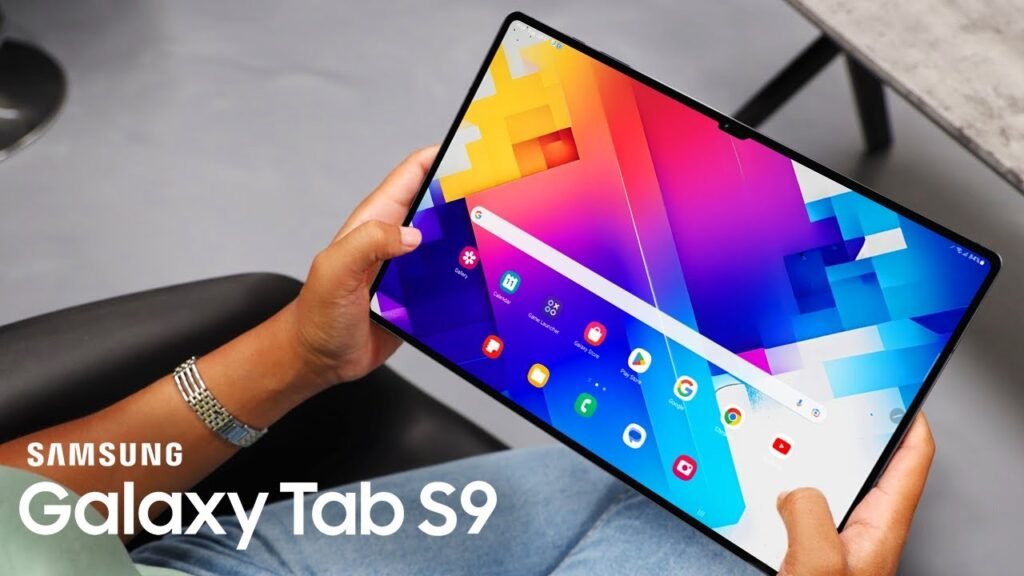
Now, it does make sense that a tablet with a huge 14.6-inch screen would be big and heavy. But that doesn’t make holding it any less of a problem. No matter what you’re doing – watching movies or even just short videos – it’s not comfy to hold. And because it’s so big, trying to touch the screen while holding it is like a nightmare. This is a problem even for the iPad Pro, but it’s even worse for the Galaxy Tab S9 Ultra.
Usually, we don’t need to talk so much about how heavy and big a device is. But with the Galaxy Tab S9 Ultra, it’s a big deal. It makes me not want to use it as much, even though there are good things about it. The tablet has a lot of cool features, as I said earlier, but the fact that it’s so huge kind of ruins the whole experience for me.
Software Experience on Samsung Galaxy Tab S9 Ultra
The Samsung Galaxy Tab S9 Ultra comes with something called Android 13. It also has this special thing made by Samsung called One UI 5.1.1. If you’ve used a Samsung phone or tablet in the last couple of years, this new tablet will feel like an old friend.
When you look at the Galaxy Tab S9 Ultra, it’s like any other tablet with Android on it. But there’s a twist – it’s like the Android got stretched to fit the big 14.6-inch screen. And this stretching can make things look not so great.
For example, if you open Twitter, you might only see two posts at a time on the screen. If someone shares a picture or an ad, it takes over the whole screen and you have to scroll a lot to see more. This also happens with the Amazon app, where pictures are made big to fit the screen. This can make them look a bit fuzzy and you have to scroll more than you’d like.
These things happen because the apps aren’t made to work perfectly on tablet screens. But they still try to fill up the whole screen, even if it doesn’t look good. There are other times when apps open in a small window that only uses a third of the screen. The rest of the space is empty and not used at all.
These problems are there on most Android tablets, like the Lenovo Tab P11 Pro Gen 2 or the Google Pixel Tablet. But because the Galaxy Tab S9 Ultra is so big, you notice these issues even more.
Lucky for us, Samsung has a solution called Samsung DeX. It’s like a new look for the tablet that’s similar to Windows on a computer. You can put shortcuts for apps anywhere you want, there’s a bar at the bottom for important things like notifications, and apps open in smaller windows instead of taking up the whole screen.
DeX has been around for a while, since 2017, and it’s pretty easy to use now. You can open any app in DeX, move the corners of the windows to make them bigger or smaller, and even put them in the corners of the screen.
It’s kind of like using a computer, but there are still some things that are a bit strange. Some apps don’t work perfectly with DeX. Some can only be in a small window or one-third of the screen, which can be annoying. And when you change the size of these apps, they restart every single time.
Also, while DeX is better for the big screen of the Tab S9 Ultra, it’s not perfect for touching the screen. It’s more like it’s meant to be used with a keyboard, which Samsung is happy to sell to you.
In a nutshell, the Galaxy Tab S9 Ultra has this special software that tries to make everything fit on the big screen. But sometimes it doesn’t work well with all apps. Luckily, Samsung has a solution with DeX, even though it’s not flawless. If you like using a big tablet like this for work or play, DeX could be a helpful friend.
Enhancing the Experience with Accessories : Samsung Galaxy Tab S9 Ultra
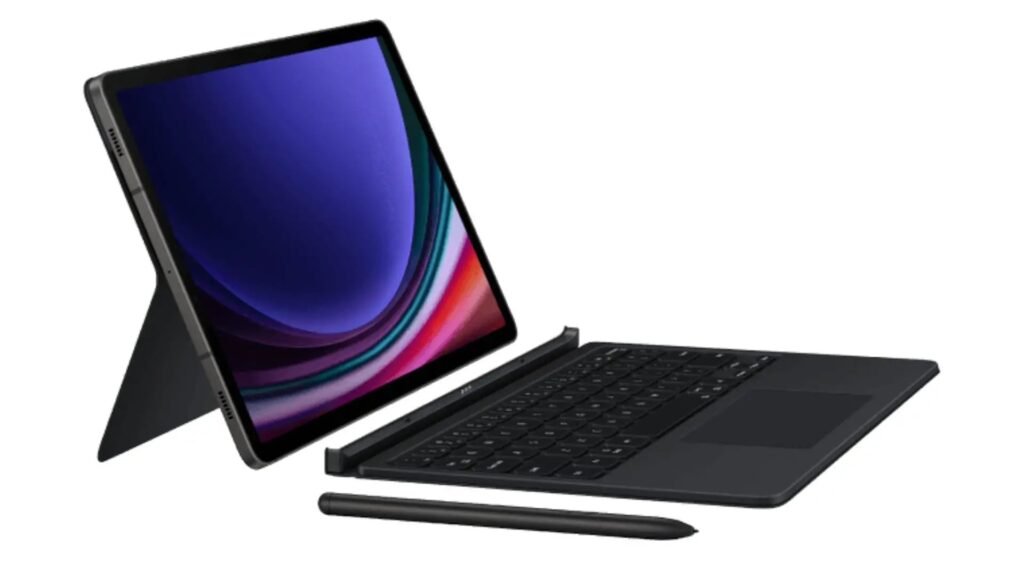
Let’s talk about the extra stuff you can get for the Samsung Galaxy Tab S9 Ultra. I’ve been using something called the Book Cover Keyboard made by Samsung. It’s like a fancier version of the keyboard that comes with the iPad. It has keys that light up, a big trackpad, and a flexible hinge on the back.
When you type on this keyboard, it feels pretty nice. The keys are comfy, they’re not too close together, and they feel good when you press them – especially for a keyboard that’s attached to a cover. But there’s a small problem. When you use it on your lap, it kind of wobbles a bit. Also, if you put it next to the iPad’s Magic Keyboard, the iPad’s keyboard feels sturdier and its keys light up better.
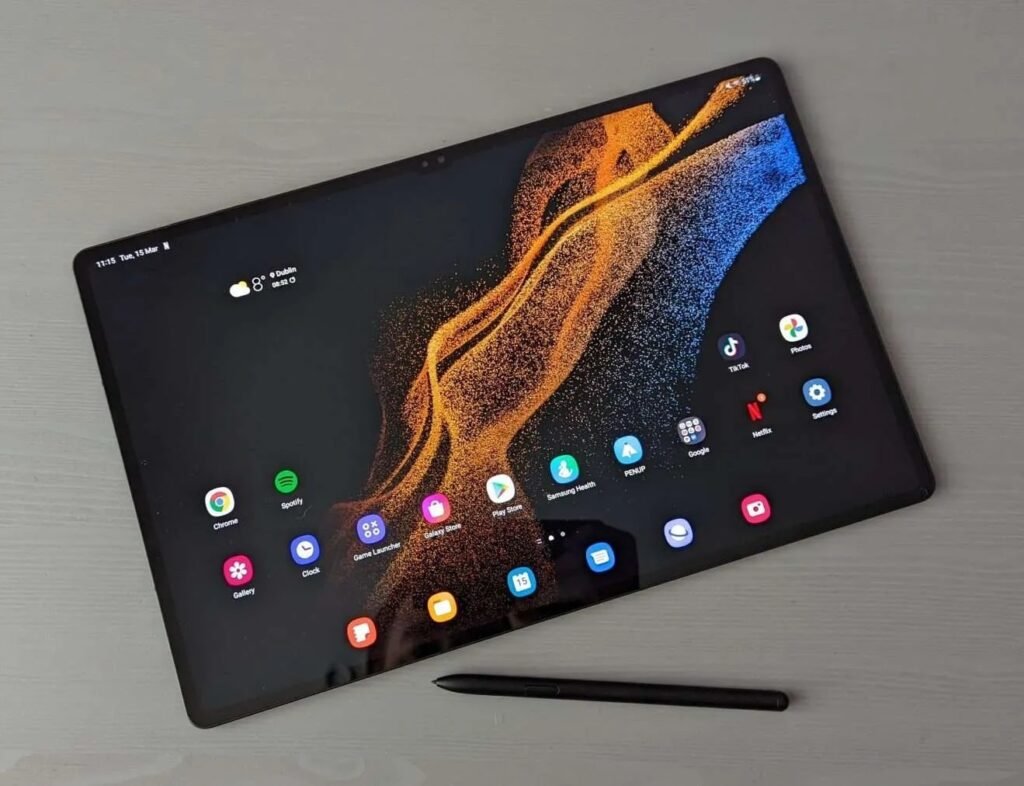
Now, the Book Cover Keyboard has something cool on the back – a place for the S Pen. The S Pen is like a fancy pen you can use on the tablet’s screen. When you’re not using it, you can put it on the back of the keyboard, and it’s safe. When you need it, you just flip it down. This is a smart way to make sure you don’t lose the S Pen and can always find it when you want it.
But here’s the thing – the Book Cover Keyboard costs $350. That’s the same price as the iPad’s keyboard. And while Samsung’s keyboard is pretty good, it’s not exactly as good as the iPad’s keyboard. It’s like getting a really nice burger, but knowing there’s a better one out there.
If you want to get the most out of the Galaxy Tab S9 Ultra, you kind of need this keyboard, especially if you use the DeX thing a lot. DeX is like a special way to use the tablet that’s more like a computer.
But there’s something Samsung did really well – the S Pen. It feels awesome to use, it can tell when your hand is resting on the screen, and it can feel how hard you’re pressing. And guess what? You don’t have to pay extra for it. It comes with the tablet. I might not be an artist, but I still like using a pen like this. I can scroll, tap on tiny buttons, and even do quick drawings.
So, to sum it up, if you want to go the extra mile with the Galaxy Tab S9 Ultra, you can get the Book Cover Keyboard. It’s good, but not perfect. And Samsung gets a big thumbs up for including the S Pen without making you pay more. It’s a nice touch.
Price and Availability : Samsung Galaxy Tab S9 Ultra
Samsung Galaxy S9 Ultra
Discover the ultimate tech companion with the Samsung Galaxy Tab S9 Ultra. Immerse yourself in a stunning 14.6-inch display, powerful performance, and versatile features that redefine innovation
Want to know about the cost and where to buy the Samsung Galaxy Tab S9 Ultra? It’s available right now on Samsung’s website, Amazon, Best Buy, and other big stores.
Now, let’s talk about money. The starting price for the Galaxy Tab S9 Ultra is $1,200. That gets you a model with 12GB of RAM and 256GB of storage. If you want more space, you can pay $1,320 for 512GB of storage. And if you’re really going all out, the top model with 16GB of RAM and 512GB of storage costs $1,620. Oh, and that special Book Cover Keyboard we talked about? It’s sold separately and costs an extra $350.
Now, let’s compare it to something else. The iPad Pro, which is also a big and powerful tablet, starts at $1,100. It’s $100 less than the Galaxy Tab S9 Ultra, but it has a slightly smaller screen. However, the iPad Pro has a super-strong processor and lots of apps made just for it.
But wait, there’s more. If you’re set on getting an Android tablet, there are other options to check out. Lenovo’s Tab Extreme and Samsung’s regular Galaxy Tab S9 or Tab S9 Plus are worth looking at.
Now, here’s something important to think about. Maybe you’re wondering if you really need a tablet this fancy. For the Galaxy Tab S9 Ultra and the Book Cover Keyboard, you’re spending at least $1,550. But guess what? You could get a 15-inch MacBook Air for $1,299 or a Dell XPS 13 for $849. These are two of the best laptops you can find right now.
The Galaxy Tab S9 Ultra is out and you can buy it from different places. The prices start at $1,200, and you can pay more for extra storage and stuff like the Book Cover Keyboard. But before you decide, it’s worth thinking if a laptop might be a better fit for what you need.
Verdict: Balancing Pros and Cons (Samsung Galaxy Tab S9 Ultra)
The Samsung Galaxy Tab S9 Ultra is a bit of a puzzle. It’s super nice in many ways and stands out as one of the best Android tablets you can get. The screen is almost perfect, the performance is top-notch, and the battery life is good. Plus, it looks really fancy, has great speakers, and can survive dust and water – that’s what the IP68 rating means. All of this sounds amazing.
But here’s the tricky part. Despite all the good stuff, there are problems that are holding it back. One big issue is its size – it’s not easy to handle. It’s heavy and huge, and that makes using it uncomfortable. Another problem is the software – it’s kind of messy. Some apps don’t work well on such a big screen, and that can be annoying.
But there’s one thing that’s a real deal-breaker. It’s the price. If you want a really good Android tablet, you can get the regular Galaxy Tab S9 for $400 less. And if you’re looking for a fancy laptop, you can find one that costs way less than the Tab S9 Ultra and its special keyboard. And let’s not forget, if you’re into having a mix of a tablet and a laptop, the iPad Pro is a much better choice.
It seems like Samsung wanted to make the biggest and most expensive Android tablet ever, and they did it. If you’re the kind of person who loves Android tablets no matter what, you might be super happy with the Galaxy Tab S9 Ultra. But if you’re like most people, I’d suggest you use your $1,200 on something else that fits you better.
Pros And Cons : Samsung Galaxy Tab S9 Ultra
Pros:
- Stunning 14.6-inch display: The tablet boasts a breathtaking display with vibrant colors and sharp details.
- Loud, rich speakers: The four speakers deliver powerful and immersive audio quality.
- Excellent performance: Thanks to the powerful Snapdragon 8 Gen 2 chip, the tablet offers seamless multitasking and smooth performance.
- Very good battery life: The 11,200 mAh battery provides reliable and long-lasting usage.
- Water and dust resistance: With an IP68 rating, the tablet is well-protected against water and dust damage.
Cons:
- It’s. So. Heavy.: The tablet’s weight, at 732 grams, makes it uncomfortable to hold for extended periods.
- App optimization issues: Some apps don’t properly adjust to the tablet’s large screen, leading to suboptimal user experience.
- Outrageously expensive: The high price tag of the tablet can be a major deterrent for potential buyers.
- Pricey, necessary accessories: Additional accessories like the Book Cover Keyboard come at a significant cost, adding to the overall expense.
Samsung Galaxy S9 Ultra
Discover the ultimate tech companion with the Samsung Galaxy Tab S9 Ultra. Immerse yourself in a stunning 14.6-inch display, powerful performance, and versatile features that redefine innovation

You may also like